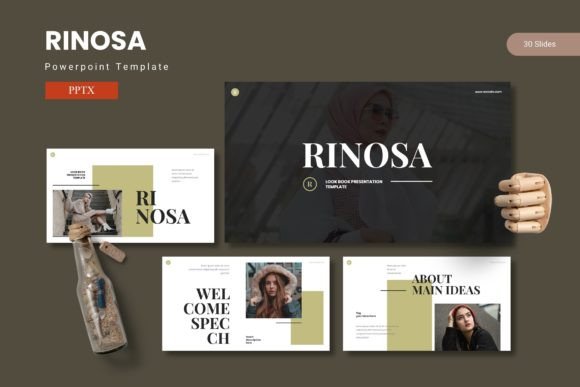
Rinosa - Powerpoint Template
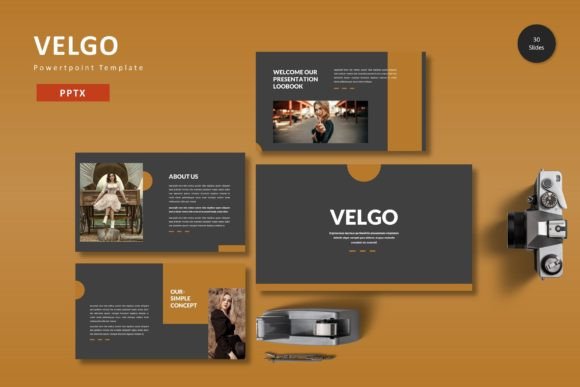
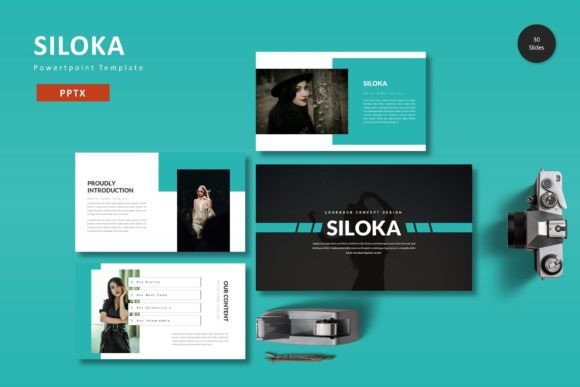
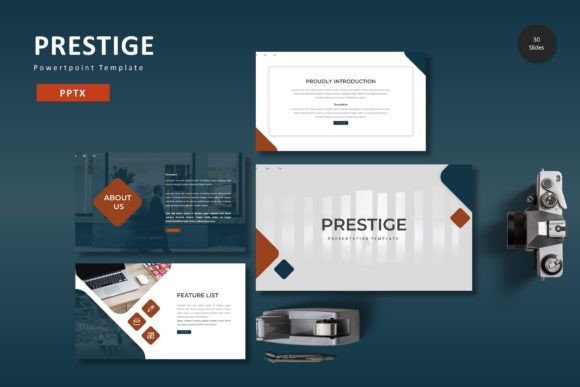
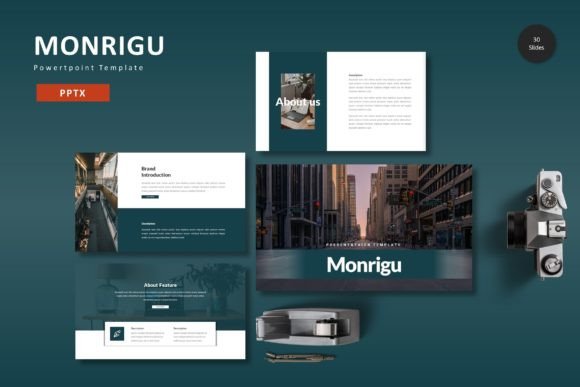
Rinosa - Powerpoint Template is a versatile and professional design solution that empowers users to create visually compelling presentations. Whether you're a marketer, educator, entrepreneur, or creative professional, this template offers the tools needed to convey your message effectively. With its clean layout, customizable features, and high-quality graphics, Rinosa makes it easy to produce slides that grab attention and leave a lasting impression.
What Makes Rinosa Unique?
Rinosa - Powerpoint Template stands out due to its combination of style and functionality. It includes 150 total slides, organized into five sections, each with 30 slides. This structure ensures that you have enough content to cover a wide range of topics while maintaining a cohesive flow. The template also comes in five pre-made color schemes, allowing for quick customization that matches your brand or personal style.
The design is built around master slides, which means any changes you make to the base slide will automatically update across all related slides. This feature saves time and ensures consistency throughout your presentation. Additionally, every graphic and illustration is resizable and editable, giving you full control over how your visual elements appear.
Key Features of Rinosa - Powerpoint Template
- 150 Total Slides: Comprehensive coverage for detailed presentations.
- 5 Color Variations: Easily switch between themes without redesigning from scratch.
- Handcrafted Infographics: Professional-looking data visualizations that enhance understanding.
- Pixel-Perfect Illustrations: High-quality images that look sharp on any screen.
- Picture Placeholders: Simple drag-and-drop functionality for adding images.
- Gallery and Portfolio Slides: Ideal for showcasing work, projects, or case studies.
Practical Applications Across Industries
Rinosa - Powerpoint Template is designed to be used in a variety of settings. For professionals, it's an excellent tool for business presentations, client pitches, and internal meetings. Its clean design helps maintain a polished appearance, making it suitable for corporate environments.
Educators can use it to create engaging lesson plans, research reports, or student presentations. The ability to add infographics and visuals makes complex information easier to digest. For entrepreneurs and freelancers, the template offers a way to present ideas clearly and professionally, whether during a pitch meeting or a client review.
Creatives such as bloggers, designers, and artists can leverage the gallery and portfolio slides to showcase their work in a visually appealing format. The customizable layouts allow for unique expressions of individual style while maintaining a professional edge.
Benefits of Using Rinosa - Powerpoint Template
One of the main advantages of Rinosa - Powerpoint Template is its ease of use. Even if you're not a design expert, you can quickly create stunning slides without spending hours on formatting. The intuitive layout and drag-and-drop features make it accessible for users of all skill levels.
Another benefit is the time savings it provides. With pre-designed slides and ready-to-use elements, you can focus more on the content of your presentation rather than the design. This efficiency is especially valuable when working under tight deadlines or managing multiple projects.
The template also enhances the overall user experience by offering a consistent and professional look. This consistency helps reinforce your brand identity and makes your presentations more memorable. Whether you're presenting to a small team or a large audience, the quality of your slides plays a key role in how your message is received.
Real-World Use Cases
Consider a marketing professional preparing a campaign launch. Using Rinosa - Powerpoint Template, they can create a sleek presentation that highlights key metrics, target demographics, and strategic goals. The infographic-based slides help simplify complex data, making it easier for stakeholders to grasp the main points.
A teacher delivering a lecture on environmental science might use the template to include charts, diagrams, and images that support the lesson. The ability to customize colors and add visual elements ensures that the presentation aligns with the classroom's aesthetic while keeping students engaged.
An entrepreneur pitching a new product could use the portfolio slide to showcase prototypes, customer testimonials, and market analysis. The clean, modern design of Rinosa - Powerpoint Template adds credibility and professionalism, helping to build trust with potential investors or partners.
Recommendations for Effective Use
To get the most out of Rinosa - Powerpoint Template, start by familiarizing yourself with the layout and features. Explore the different color variations and experiment with the placement of graphics and text. This will help you find the best configuration for your specific needs.
When using the picture placeholders, choose high-resolution images that complement your message. Avoid overcrowding slides with too much text; instead, use bullet points and concise language to keep your audience focused. Remember, the goal is to enhance your message, not overwhelm it.
Finally, take advantage of the read-me file included in the template. It provides useful instructions on how to navigate the slides and access additional resources. This can save you time and prevent common pitfalls when working with the template for the first time.